By Jon Selvaraj, co-founder of Vista TechWerx and builder of BidWERX. Last updated August 2026.
Quick answer: To register in SAM.gov, create a Login.gov account, get a Unique Entity ID (UEI) inside SAM.gov, then complete the entity registration with your business details, banking information, NAICS codes, and representations and certifications. A CAGE code is assigned during the process. Registration is free, and it takes a few hours of work spread over a couple of weeks while validation runs.
Key takeaways
- SAM.gov registration is the gate. Without an active registration, you cannot be awarded a federal contract, so this is step one before anything else.
- The UEI replaced the old DUNS number and is issued inside SAM.gov itself. You do not get it from a third party, and you should never pay anyone for it.
- Registration is free. Ignore any service that charges you to register; the only cost is your time.
- Getting registered is not the same as being findable. Once you are active, the real work is finding opportunities that actually fit your firm.
Registering in SAM.gov is the first concrete step to doing business with the federal government, and it trips up more new firms than it should, mostly because the process looks more complicated than it is and because there are companies happy to charge you for something that is free. Here is the whole thing in plain steps, what to have ready, and the mistakes that cause delays.
What SAM.gov is, and why it gates everything
SAM.gov (the System for Award Management) is the federal government's official registry of entities that want to do business with it. It is where you declare who you are, prove your business is real, and record the certifications the government needs before it can pay you. If your registration is not active, a contracting officer cannot make an award to you, full stop. It is the equivalent of a business license for federal work, and it is free.
What to gather before you start
Having these in hand makes the process a few hours instead of a few frustrating sessions:
- Your legal business name and physical address, exactly as they appear on your official records.
- Your Employer Identification Number (EIN) from the IRS, and the business name tied to it. These must match, and a mismatch is the most common cause of delay.
- Your bank's routing and account number, for electronic payment.
- The NAICS codes that describe what your business does (you can add several).
- The name and contact details of the person who will serve as your entity administrator.
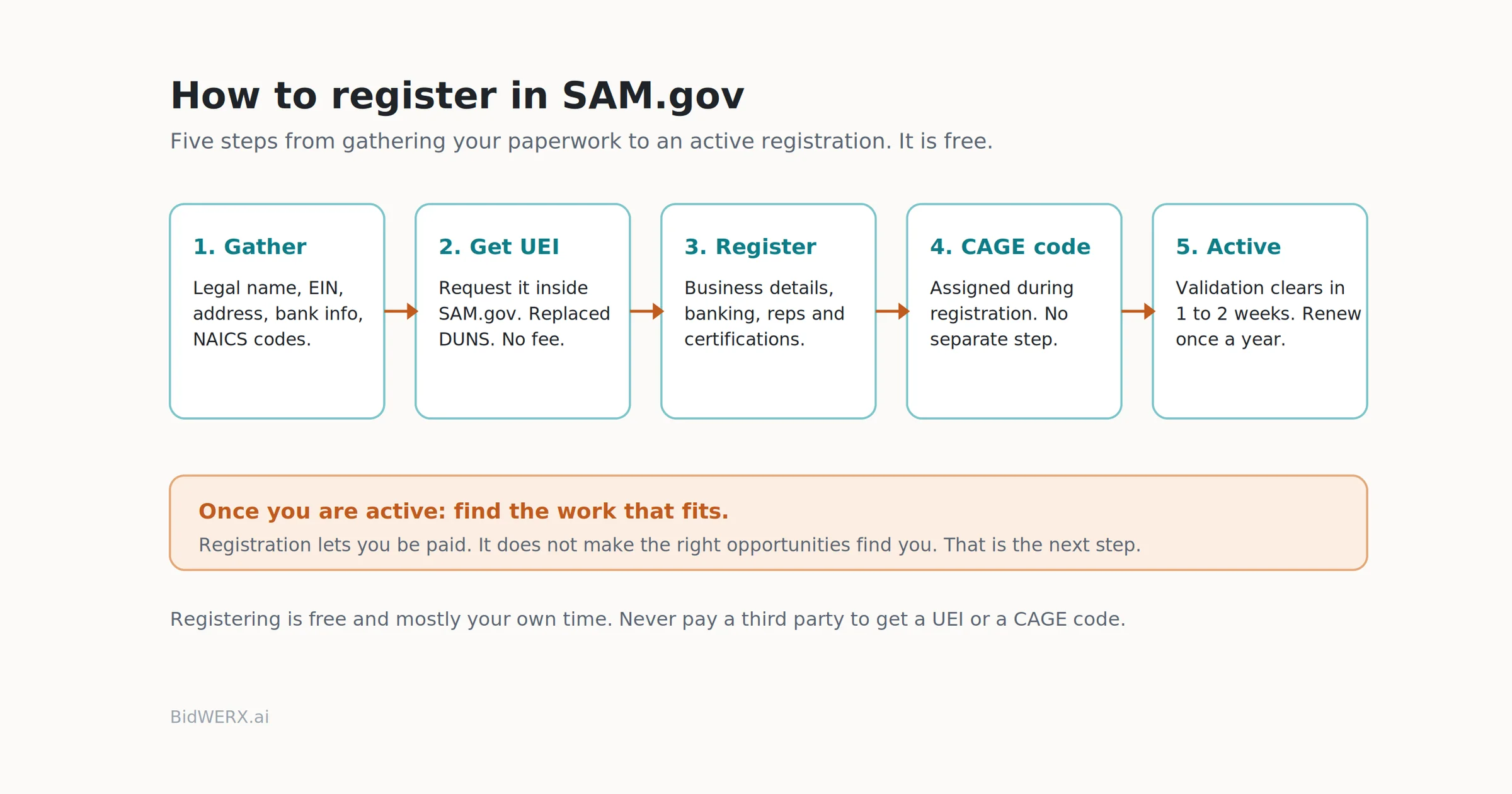
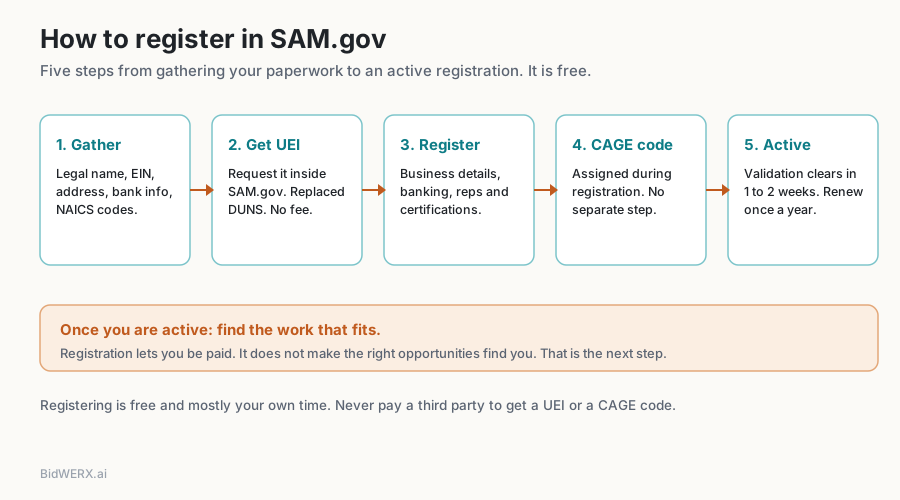
The steps, in order
1. Create a Login.gov account. SAM.gov uses Login.gov for secure sign-in. Set this up first if you do not already have it.
2. Get your Unique Entity ID (UEI). Inside SAM.gov, you request your UEI. The system validates your legal business name and address against records, then issues the identifier. The UEI replaced the DUNS number in 2022, and it is generated inside SAM.gov at no cost. If a website offers to "get your UEI" for a fee, close the tab.
3. Complete the entity registration. This is the longer part. You enter your core business details, your banking information for payment, your NAICS codes, and then you work through the representations and certifications, a set of yes and no questions about your business (size status, ownership, compliance). Answer them carefully, because they carry legal weight.
4. Receive your CAGE code. The Commercial and Government Entity (CAGE) code is assigned during registration for domestic entities. You do not apply for it separately; it comes through as part of the process.
5. Wait for validation, then confirm active status. The government validates your information, including the entity and EIN match. This can take a couple of weeks. When it clears, your registration shows as active, and you renew it once a year to keep it that way.
The mistakes that cause delays
The delays are almost always the same handful of things. The EIN and legal business name do not match the IRS records exactly. The physical address does not match what is on file. The entity validation documents are missing or unclear. And renewals get forgotten, so a registration lapses right when an opportunity appears. Set a calendar reminder for renewal about 60 days before it expires.
What to do once you are active
Being registered means you can be paid. It does not mean the work will find you. This is where most newly registered firms stall: they are in the system, technically eligible, and still staring at a firehose of notices with no way to tell which ones are worth their time.
That is the problem BidWERX Find is built for. It surfaces the opportunities that match your firm, and FitScore gives you a relative read on how well each one fits, so you spend your limited pursuit time on the handful worth pursuing instead of scrolling every notice. FitScore is a relative fit indicator to help you prioritize, not a prediction that you will win. If you want to see what fits your firm once you are registered, you can start a free BidWERX trial.
Jon Selvaraj is the co-founder of Vista TechWerx and the builder of BidWERX, a readiness and decision tool for small firms pursuing federal work. He writes about the operating discipline behind winning government business.
Related reading: who's who in a federal buy (CO, COR, and PM) · the bid/no-bid decision: three questions before you write a word.
Frequently Asked Questions
Is SAM.gov registration free?
Yes. Registering in SAM.gov, getting your UEI, and receiving your CAGE code are all free. The government does not charge for any of it. Third-party services may offer to register for you, but the registration itself costs nothing, and you can do it yourself.
What is a UEI, and how is it different from a DUNS number?
The Unique Entity ID (UEI) is the 12-character identifier the federal government uses to track your entity. It replaced the DUNS number in April 2022. Unlike DUNS, the UEI is issued inside SAM.gov itself rather than by a third party, and there is no cost to obtain it.
How long does SAM.gov registration take?
Plan on a few hours of your own work to enter everything, then a validation period that often runs one to two weeks before your registration is active. The most common cause of a longer wait is a mismatch between your legal business name, address, and EIN, so confirm those match your IRS and official records before you start.
Do I need a CAGE code separately?
No. For domestic entities, the CAGE code is assigned automatically during SAM.gov registration. You do not file a separate application for it. If you are a foreign entity, the equivalent (NCAGE) is obtained differently, but most U.S. small businesses receive their CAGE code as part of the SAM.gov process.